How to Use a Free AI to Build a Weekly Grocery List That Never Goes Over Budget
Free AI can help with grocery planning, but only when you treat it like a budget assistant instead of a magic meal generator. Give it a hard spending cap, your household size, what is already in the kitchen, and the store you actually shop at. USDA says planning meals and making a grocery list before shopping is one of the best ways to save money, and OpenAI says the best prompts are clear, specific, and rich in context.
A second reason this works now is that free AI tools are built for quick back-and-forth planning, but the free tier can come with usage limits and stricter limits on some advanced tools. That makes a short, structured prompt much more useful than one giant vague request.
The easiest way to make AI stay on budget
The simplest workflow is this: tell the AI exactly how much money it has, what food is already at home, and how many meals you need. Then ask it to build a grocery list that stays under the limit and includes a cheaper backup version.
That approach lines up with USDA’s budgeting advice: plan meals first, bring a grocery list, compare unit prices, and avoid shopping when hungry or rushed.
What to tell the AI before it writes anything
A grocery list only stays under budget when the prompt gives the AI the right guardrails. The three most important inputs are:
1) Your hard budget
Do not say “make it cheap.” Say the exact number.
Example: “My weekly grocery budget is $85.”
2) What you already have
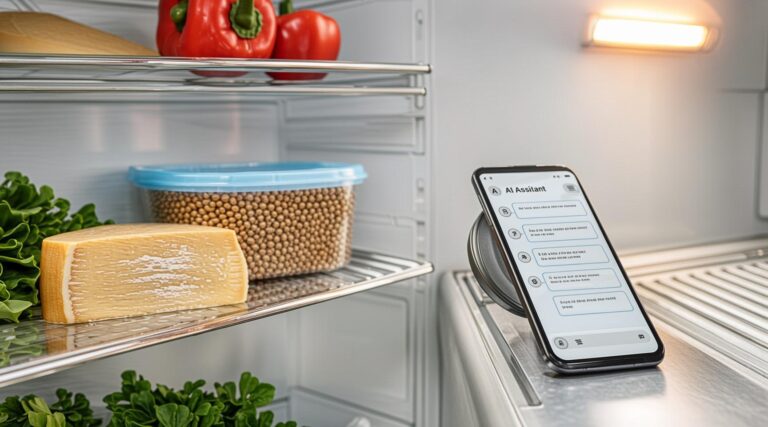
List pantry, fridge, and freezer items that need to be used first. That prevents duplicate buying and helps the list focus on gaps, not guesses.
3) Your real-life rules
Include the number of people, meals needed, dietary limits, store preference, and any foods you refuse to buy. OpenAI’s prompt guidance says specificity and context improve results, and breaking a complex request into smaller parts works better than asking for everything at once.
Copy-paste prompt template
Use this as a starting point:
Act like my weekly grocery budget assistant.

Household: 4 people
Weekly budget: $90
Store: Aldi
Already at home: rice, oats, pasta, 6 eggs, 2 onions, peanut butter, frozen mixed vegetables, chicken thighs
Needs: 7 breakfasts, 5 lunches, 6 dinners, 5 snacks
Rules:
- Stay under budget
- Use what I already have first
- Give me a low-cost list and a backup list if prices are higher than expected
- Group items by store section
- Mark each item as must-buy, optional, or skip
- Keep meals simple and family-friendly
- Do not add expensive ingredients unless they replace something else
Before finalizing, show me the estimated total and remove anything that breaks the budget.
That kind of prompt gives the AI a job it can actually do. OpenAI’s guidance specifically recommends clear, specific instructions with enough context, and it also recommends iterative refinement when the first answer is not quite right.
Cost-Saving Reality
This is where free AI helps most: it reduces the time you spend staring at the fridge and guessing. But the AI does not know the real shelf price in your store unless you tell it, and it does not know when a package size changed, a sale ended, or a brand got more expensive.
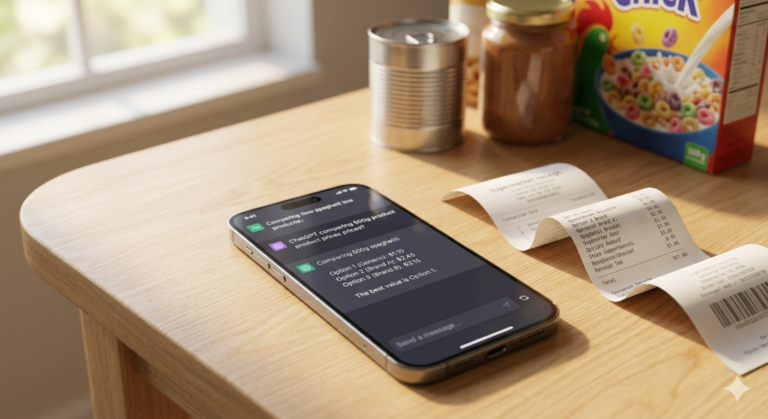
That is why USDA’s shopping advice matters. It recommends comparing unit prices, checking coupons and sales, and bringing the grocery list so impulse buys do not quietly inflate the bill. USDA’s Food Plans also show that healthy diets can be built at several cost levels, including the Thrifty and Low-Cost plans, which makes budget-based meal planning a realistic strategy rather than a sacrifice plan.
The most useful mindset is not “How do I make the list as cheap as possible?” It is “How do I make the list cheap enough to survive a real store trip and still feed the household well?” That is the difference between a pretty AI answer and a grocery list you will actually use.
What usually breaks the budget
The biggest budget leaks usually happen after the AI gives you the list.
People add snacks, drinks, and “one more thing” items at the store. They swap ingredients without checking the price. They buy too many perishable items that spoil before the week ends. They also ask for meals that share no ingredients, which forces them to buy a wider and more expensive set of foods.
USDA specifically recommends shopping with a list, comparing unit prices, and avoiding rushed or hungry shopping because those habits increase food bills.
A better way to ask for the list
A budget-safe grocery prompt should not ask for “healthy meals” in general. It should ask for a list that is structured like a shopping plan.
Ask the AI to divide the list into:
- must-buy items
- optional items
- skip items
- cheap substitutions
- items already on hand
That format gives you a decision tool, not just a shopping idea. It also makes it easier to cut the total without rebuilding the whole plan from scratch. OpenAI recommends breaking complex tasks into smaller, focused prompts, which is exactly what this structure does.
Common Mistakes to Avoid
The first mistake is asking for meals before setting the budget. Once that happens, the list usually grows too fast.
The second mistake is skipping the pantry list. If the AI does not know what you already have, it will happily buy duplicate staples.
The third mistake is not naming the store. A budget that works at one store may fail at another because prices, package sizes, and unit prices are different. USDA recommends comparing unit prices to see what is actually cheaper.
The fourth mistake is asking for a perfect seven-day plan when your family is flexible in real life. A better plan is one that survives price changes and last-minute substitutions.
The fifth mistake is treating the first AI answer as final. OpenAI says prompt refinement is normal and often necessary.
Myth vs Reality
Myth: Free AI can only make generic grocery lists.
Reality: Clear prompts can produce useful, budget-aware lists, but the quality depends on the context you give it. OpenAI says specific prompts with enough detail work better.
Myth: A cheaper grocery list always means worse food.
Reality: USDA says healthy diets can be achieved at many cost levels, including limited budgets, if you plan carefully.
Myth: The AI itself is the budget tool.
Reality: The budget tool is the whole workflow: budget cap, pantry check, list review, unit-price check, and smart shopping habits.
Myth: One giant prompt is better than a few smaller ones.
Reality: OpenAI recommends clear, specific prompts and iterative refinement, which usually means a first draft and then a better second pass.
Advanced workflow for experienced readers
Once the basics are working, turn the process into a weekly system.
First, keep one master prompt with your household size, stores, favorite low-cost meals, and common pantry items. OpenAI’s guidance on prompt management and prompt engineering favors clear structure, reusable instructions, and concise task blocks.
Second, ask the AI to build the next list from three buckets: what must be used up, what must be bought, and what can wait. That keeps leftovers from getting wasted and stops the list from drifting into “nice to have” territory.
Third, use a simple review rule before shopping:
- cut optional items first
- replace expensive proteins with cheaper swaps when needed
- keep meals that share ingredients
- compare package sizes, not just sticker prices
That workflow works better than chasing perfect recipes. It is fast, repeatable, and easier to keep under budget week after week. USDA’s meal-planning materials and shopping guidance point in the same direction: plan ahead, compare prices, and shop with a list, not a mood.
A practical example
Say your budget is tight, your fridge already has eggs and frozen vegetables, and your pantry has rice and pasta. A good AI prompt should not build a fancy recipe plan around extra ingredients.
It should try to use what you already own, stretch it across several meals, and only add the missing basics. That is also why a related guide on turning fridge scraps into a meal plan fits naturally with this workflow. The goal is not just a cheaper list. The goal is a smaller, smarter list that clears the kitchen without wasting money.
Related internal read
A useful follow-up for this topic is the guide on using free AI for leftover-based meal planning, which fits well after you have your grocery list system in place.
FAQ
1) Can free AI really keep a grocery list under budget?
Yes, but only if you give it a hard budget, your pantry list, and the store you shop at. OpenAI says clear, specific prompts with context get better results, and USDA recommends planning meals and making a list before shopping.
2) What should I never forget to tell the AI?
Tell it your exact budget, household size, and what food you already have. Those three inputs do most of the work.
3) Why does the first grocery list sometimes go over budget?
Because the AI is estimating, not checking live shelf prices. USDA recommends comparing unit prices and using coupons, sales, and a written list to reduce overspending.
4) What is the best way to fix a list that is too expensive?
Ask the AI to remove optional items first, then swap pricier ingredients for cheaper ones, then give you a second version that stays under the cap. OpenAI’s prompt guidance supports this kind of iterative refinement.
5) Is there a benchmark for “budget food” in the U.S.?
USDA’s Food Plans provide several cost levels, including Thrifty and Low-Cost, to show how healthy diets can fit different budgets.