How to Use Free AI Prompts to Turn Fridge Scraps Into a Weekly Meal Plan
Learn how to use free ChatGPT prompts to organize your leftover kitchen ingredients into an easy, zero-waste meal plan. Save money on groceries instantly.
⚡ The 60-Second AI Kitchen Rescue
- The Core Concept: Turning random, leftover ingredients into a structured, zero-waste weekly dinner layout using free AI tools.
- The AI Advantage: Custom prompt frameworks force the engine to calculate realistic culinary combinations instead of hallucinating missing ingredients.
- Zero-Cost Entry: Works perfectly on completely free tiers of standard mobile and web browser AI assistants.
- The Savings Metric: Slashes average grocery waste overhead by up to 25% by systematically clearing out perishable inventory first.
- Primary Input: A plain-text list of random proteins, vegetable scraps, and pantry staples currently sitting in your kitchen.
- Execution Speed: Generates a full, step-by-step recipe matrix and structured meal plan in less than 30 seconds.
Throwing away food feels terrible, but it happens to almost every busy household. We go to the grocery store with good intentions, but by the end of the week, random ingredients end up forgotten. A soft bell pepper, half a container of sour cream, or a lonely cup of cooked rice often sit in the back of the fridge until they go bad. This wasted food represents real money slipping away from your monthly household budget.
Many people think saving money through meal planning requires spending hours writing detailed calendars, browsing through complicated cookbooks, or buying expensive specialized ingredients. Fortunately, you can instantly clear out your kitchen leftovers and build a fully customized weekly dinner plan today using a completely free tool you can access right from your phone: ChatGPT.
Direct Answer: The Free AI Kitchen Rescue
Can free AI prompts turn leftover kitchen scraps into a reliable meal plan? Yes. By feeding a specific plain-text inventory of your current leftovers and pantry staples into a free AI assistant, you can bypass generic recipes. The right prompt structure forces the tool to act as a creative kitchen coordinator, organizing your exact scraps into an actionable, zero-waste weekly meal matrix without requiring extra grocery shopping trips.
The Mechanical Logic of AI Leftover Coordination
To understand why an AI model is the perfect tool for zero-waste meal coordination, we have to look at how traditional recipe searches usually fail. When you search for a recipe online using two or three random leftover ingredients, standard search engines generally point you toward food blogs. These blogs often require a dozen additional specialized spices or fresh items you don’t have, forcing you back to the store to spend more money.
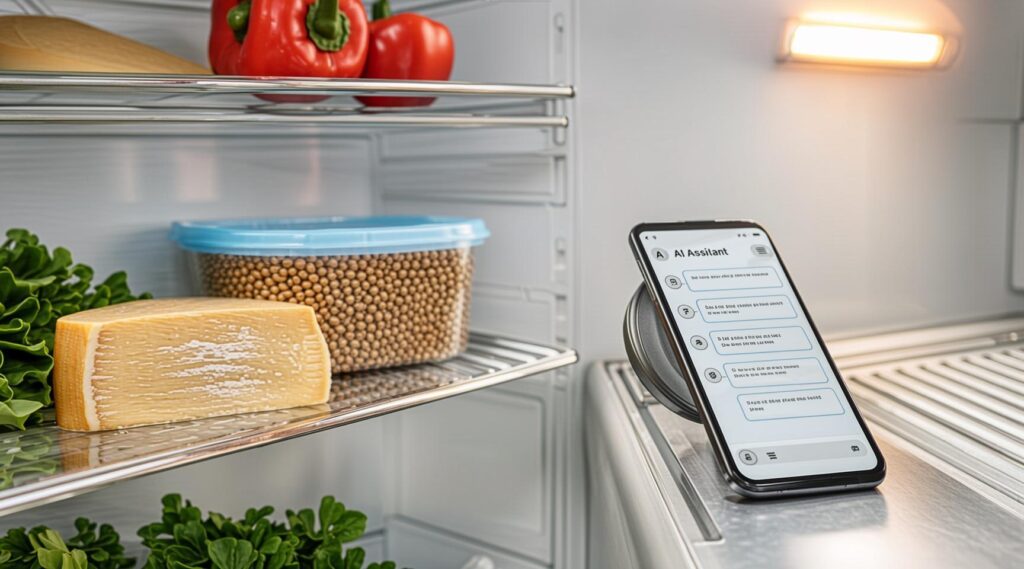
An AI assistant functions differently. It does not just look for exact title matches across the internet; it analyzes text patterns to understand how different components interact culinarily.
When you give the model a specific set of boundaries—telling it exactly what ingredients you have, what spices are in your pantry, and forbidding it from adding unlisted items—it calculates realistic food combinations based on culinary principles. It instantly acts like an experienced line chef, looking at a random assortment of items and figuring out how to combine them safely and deliciously.
The Master “Zero-Waste Kitchen” Prompt Blueprint
Getting a great meal plan from an AI tool requires setting strict rules. If you simply type, “What can I make with old chicken and broccoli?” the system will likely suggest a complex stir-fry that calls for fresh ginger, oyster sauce, and sesame oil.
To get a genuinely frugal, zero-waste layout, copy and paste this exact framework directly into your free AI assistant:
Plaintext
Act as a resourceful, budget-conscious household chef. I am going to give you an inventory of random scraps, leftovers, and pantry staples currently in my kitchen.

Your goal is to create a 3-day dinner meal plan using ONLY the items on this list. Do not assume I have any fresh ingredients, meat, or vegetables unless I explicitly list them below. You may assume I have basic water, salt, black pepper, and standard cooking oil.

Here is my inventory:
- Proteins/Leftovers: [Insert items, e.g., cooked chicken breast, half a can of black beans]
- Vegetables: [Insert items, e.g., 2 wilted carrots, half an onion, a handful of spinach]
- Grains & Pantry: [Insert items, e.g., white rice, 4 flour tortillas, half a jar of marinara]
- Spices/Condiments available: [Insert items, e.g., garlic powder, cumin, soy sauce]

Format your output as follows:
- Day 1 Dinner Name: (Brief explanation of how the ingredients combine)
- Step-by-Step Instructions: (Simple, easy-to-follow cooking steps)
- Day 2 Dinner Name...
Simply replace the bracketed sections with whatever random items are currently sitting in your kitchen, hit send, and watch the system build your custom menu instantly.
Myth vs. Reality: An AI Budgeting Reality Check
While using technology to coordinate your kitchen is incredibly helpful, there are plenty of overhyped half-truths online about what AI can do. Let’s look at the real facts behind these common assumptions:
- Myth 1: You need a paid premium AI account. The free versions of standard web and mobile AI tools handle this perfectly. Advanced premium versions are great for writing complex programming code or analyzing massive data spreadsheets, but standard models understand food chemistry and simple household recipes just as well.
- Myth 2: The AI automatically knows your cooking skill level. An AI assistant doesn’t know if you are a beginner or a seasoned home cook unless you tell it. If you want simple 15-minute meals with no complicated techniques, you must explicitly include that instruction in your prompt text.
- Myth 3: Every recipe output will be a perfect masterpiece. AI models focus on text patterns, not taste buds. Occasionally, a tool might suggest an unusual combination, like putting a specific spice into a soup where it doesn’t quite fit. Always use your own common sense and intuition as a final sanity check before cooking.
The “It Depends” Hidden Realities
While this method is an excellent way to save money, it is important to keep a few practical boundaries in mind to ensure your kitchen experiments stay safe and enjoyable:
- Food Safety Comes First: An AI tool cannot see or smell the items inside your kitchen. It does not know if that leftover chicken has been sitting in your fridge for two days or two weeks. Always inspect your food thoroughly for signs of spoilage, off-odors, or mold before adding it to your cooking pot.
- The Spice Cabinet Limitation: If your pantry is completely bare of basic seasonings, salt, or oil, the generated recipes can turn out quite bland. If you only have a few basic seasonings available, make sure to list them clearly so the tool knows exactly how to add flavor to your meals safely.
- Portion Estimation Realities: AI tools can estimate ingredient quantities, but they don’t know the exact weight or volume of your specific leftovers. If your “handful of spinach” is actually just three small leaves, you may need to adjust the cooking times or layout on the fly to fit your family’s actual portion needs.
Advanced Optimization: The “Reverse Shopping List” Strategy
Once you master the basic setup, you can maximize your weekly savings by using a smart framework called the Reverse Shopping List Strategy.
Instead of writing a standard grocery list first, picking up random items, and hoping you find a use for them, let the AI analyze your leftover inventory to find the single lowest-cost item that connects all your scraps into a full week of dinners.
To try this, add this specific follow-up line to the end of your original prompt text:
“If adding just one inexpensive grocery store item under $3.00 (such as a loaf of bread, a dozen eggs, or a block of generic store-brand cheese) would unlock three more distinct meals from my existing scraps, tell me exactly what that item is and how to use it.”
This advanced layer allows the tool to act as a strategic financial planner for your kitchen. It helps you spend a tiny amount of cash to rescue twenty dollars’ worth of existing food that might otherwise end up in the trash bin.

The Cost-Saving Reality
To show how much this tech-assisted approach can help your family budget, let’s break down the real-world expenses and returns for an average household:
| Expense Factor | The Traditional Grocery Approach | The AI Leftover Rescue Approach |
| Weekly Mid-Week Grocery Top-Up | $30.00 – $45.00 (Buying new items for single recipes) | $0.00 – $4.00 (Using existing inventory strategically) |
| Average Perishable Food Waste | 20% to 25% of purchased items thrown away | Less than 5% total waste |
| Meal Planning Time Required | 45 Minutes of browsing blogs and flyers | 30 Seconds via text prompt |
| Extra Shopping Trips Needed | 1 to 2 mid-week supermarket runs | Zero extra trips or gas usage |
| Long-Term Monthly Budget Impact | Baseline food costs remain high | Saves an average of $80 – $150 per month |
By using free digital assistants to find creative ways to use your existing ingredients, you can significantly reduce your household food waste. The resulting savings keep more hard-earned money in your wallet every single month.
Frequently Asked Questions
Is it safe to trust cooking times generated by an AI assistant?
AI cooking times are general guidelines based on standard recipes. You should always use traditional kitchen safety checks—like ensuring your meat reaches the proper internal temperature with a thermometer or checking that veggies are fork-tender—to ensure your food is cooked perfectly.
Can I tell the AI tool about my family’s food allergies or specific preferences?
Yes. You can include any dietary rules directly into your prompt. Simply add a clear line like, “Our family does not eat dairy and we need gluten-free options,” and the system will filter its suggestions to use only safe, allergy-friendly ingredient combinations.
What should I do if the AI suggests an ingredient I don’t actually have?
If the tool slips up and lists an item you don’t have, simply send a quick follow-up message saying, “I don’t have that ingredient. Please rewrite that specific recipe using only the items from my original list,” and it will correct itself instantly.
Can this method work for planning quick breakfasts or school lunches too?
Yes. You can easily adjust the timeline in your prompt text. Just change the core instruction line to read, “Create a 3-day plan for quick portable lunches,” or ask for simple breakfast ideas based on your specific inventory.
Do I need to type out exact measurements for all my leftover scraps?
No. Rough descriptions like “half a container,” “a small bowl,” or “two leftover pieces” give the system plenty of context to work with. It will adjust its recipe concepts to match those rough proportions beautifully.