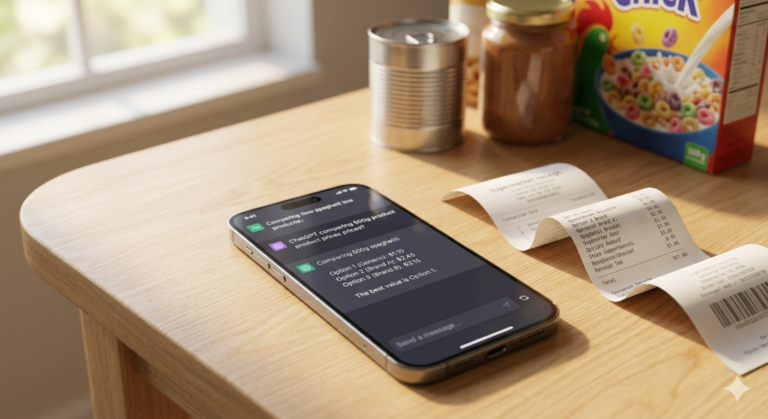
The Subscription Cleanout: How to Use Free AI Tools to Find and Kill Hidden Monthly Charges
Stop wasting money on premium tracking apps. Learn how to safely use free AI tools to instantly audit your statements and kill hidden subscription fees.
Cleanout Blueprint
Goal: Locate and cancel forgotten subscriptions using free, privacy-safe AI prompting.
Core Tool: Standard LLMs (ChatGPT, Claude) paired with manual raw CSV data exports.
Impact: Reclaim $200–$500+ annually without paying for subscription tracking apps.
Privacy: Zero bank-linking required—your sensitive banking credentials remain entirely secure.
It happens to everyone. You sign up for a 7-day free trial to watch a single documentary, download a template, or test a productivity tool. You mean to cancel it, but life gets loud. Fast forward six months, and that “free” trial has quietly drained close to a hundred dollars from your bank account. In 2026, subscription fatigue is a genuine financial drain. Companies have perfected the art of “vampire billing”—relying on micro-transactions small enough to slip past your casual glance but large enough to compound into massive annual losses.
The traditional advice is to download a premium financial app to track your spending. But there is a glaring catch: those apps want you to hand over your direct bank login credentials via third-party integrations, and many have shifted behind their own premium subscription paywalls. You do not need to give up your privacy or pay a toll to clean up your finances. By combining standard spreadsheet exports with free artificial intelligence tools, you can run a bulletproof subscription audit in less than fifteen minutes.
How do you find and stop hidden subscription charges for free? Instead of paying for a tracking app that demands your private banking credentials, export the last 3 to 12 months of your bank or credit card statements as a .csv or plain text file. Paste that raw text securely into a free AI tool like ChatGPT or Claude alongside a specialized pattern-extraction prompt to immediately isolate, categorize, and flag hidden recurring fees.
Why Traditional Financial Trackers Are a Security Trap
For years, the go-to play for cutting expenses was linking your bank accounts to financial health platforms. While convenient, this approach introduces significant compromises:
- Data Aggregation Risks: These platforms rely on credential-sharing systems to continuously scrape your accounts. If their databases face a security breach, your financial footprint is exposed.
- The Irony of Paid Trackers: Many of the most popular subscription finders now charge an annual fee or demand a hefty percentage of the “savings” they secure on your behalf, turning subscription management into its own bill.
- Vague Statement Descriptors: Standard automation scripts inside apps often fail when a merchant uses a cryptic payment processing name (like *SP SERVICEMEMBER 800-555) instead of a recognizable brand name.
By exporting raw text files and handling the analysis locally inside a conversational AI interface, you act as your own data gatekeeper. The AI performs the heavy lifting of data matching without ever knowing your actual account numbers or identity.
The Step-by-Step AI Audit Framework
To execute a cleanout, you need to pull your transactions from where they hide and format them so an LLM (Large Language Model) can analyze the patterns instantly.
Step 1: Export Your Trailing Data
Log into your financial institutions via a web browser rather than a mobile app, as desktop portals offer more robust data export utilities. Download your transaction history for the last 3 months to catch standard monthly items, and pull the last 12 months specifically to catch forgotten annual renewals like web hosting, domain registrations, or antivirus software.
Choose the .CSV (Comma-Separated Values) format. Open the file in any text editor or basic spreadsheet viewer and delete highly sensitive columns like your account number, home address, or routing digits. All the AI needs to see is the Date, Description, and Amount.
Step 2: Clear Out the Digital Gatekeepers
Subscriptions do not just live on your primary credit card; they embed themselves in digital checkout systems. Before running your AI diagnostic, open your accounts across these three major pipelines:
- Apple App Store: Open Settings on your iPhone > tap your name > Subscriptions.
- Google Play Store: Open Play Store > tap your profile icon > Payments & Subscriptions > Subscriptions.
- PayPal Automatic Payments: Log into PayPal > go to Account Settings > Payments > Manage Automatic Payments.
Experiential Insights: Myth vs. Reality
When tackling subscription cleanouts online, you will run into several structural half-truths. Here is what actually happens when you audit your data:
- Myth: “Checking your email inbox for the word ‘invoice’ catches every subscription.”
- Reality: Dozens of modern app trials convert silently without triggering a fresh email notification. Furthermore, mobile micro-transactions are often bundled by Apple or Google into generic weekly statements (e.g., “Apple Bill”), leaving the specific draining app completely unnamed in your inbox.
- Myth: “Subscription prices are always perfectly static round numbers.”
- Reality: Local sales tax fluctuations, foreign exchange conversions, or shifting cloud storage tiers (like variable iCloud or Google One usage charges) mean a subscription that costs $9.99 in one region might show up as $10.74 or $11.02 on your actual statement lines.
- Myth: “You can just call your bank and issue a chargeback to cancel a subscription.”
- Reality: Filing a chargeback without attempting to cancel through the vendor first violates terms of service. It can lead to merchant blocks, damage your credit history if disputed, or result in collection notices for legitimate contracts you signed up for.
“It Depends” — The Hidden Realities of Anomalous Billings
The effectiveness of an AI cleanout depends significantly on the structure of your accounts. Consider these operational edge cases:
- The Shared Family Multiplier: If you share an Amazon Prime, streaming bundle, or gym membership across a household, look closely at who owns the billing anchor. A single plan can inadvertently be paid for twice across two different credit cards within the same home if both partners set up independent auto-renewals.
- Payment Processor Blindspots: When services utilize merchant networks like Stripe or Square, the bank descriptor occasionally lists the location of the processing entity rather than the app name. AI excels here because it can match identical micro-amounts occurring on identical calendar days across multiple months, bypassing the confusing wording.
Practical Optimization Layer: The Master Extraction Prompt
Once your data is clean, copy the text columns from your CSV file. Open a free instance of an AI assistant and feed it the following custom prompt.
Plaintext
You are an expert financial forensic auditor specializing in consumer subscription detection.
I am going to paste raw text from my bank transaction statements. Analyze this data to surface all hidden, active, or forgotten recurring subscription billing patterns.

Look for the following specific indicators:
1. Identical merchant strings or similar payment processor patterns appearing at regular intervals (monthly, bi-monthly, or annually).
2. Clustered minor charges between $2.00 and $35.00 that repeat on or near the same day of the month.
3. Variable dollar amounts from identical vendors that suggest usage-based SaaS, utility billing, or cloud storage upgrades.

Format your output as a Markdown table with the columns: [Potential Subscription Provider], [Exact Statement Descriptor], [Estimated Frequency], [Amount], and [Confidence Level: High/Medium].

Below the table, provide an actionable "Hit List" of the top 3 items I should investigate or cancel immediately based on questionable value or typical trial conversions.

Here is my raw transaction data:
[PASTE YOUR CSV TEXT HERE]
By instructing the model to focus on interval patterns and text variations rather than strict keyword lookups, it extracts anomalies that a human eye would skim right past during a late-night scrolling session.
The Cost-Saving Reality
To illustrate why manual, AI-assisted audits outclass automated fintech apps and manual paper skimming, let’s break down the efficiency, safety, and performance metrics:
| Audit Attribute | Traditional Manual Review | Premium Fintech Tracker Apps | The Free AI Prompting Method |
| Time Required | 45–60 minutes of paper tracking | 5 minutes (after app setup) | 10–15 minutes total |
| Subscription Cost | Free | $3.00 to $10.00+ per month | Completely Free |
| Credential Privacy | 100% Private (No data leaves your hands) | Low Privacy (Requires continuous banking links) | High Privacy (Scrubbed text, no bank links) |
| Pattern Detection | Low (Fails on cryptic processor names) | Medium (Relies on strict database matching) | Excellent (Uses semantic logic to spot patterns) |
| Annual Financial Yield | Variable based on human fatigue | Diminished by the tracker’s own cost | Maximum Net Savings retained |
Frequently Asked Questions (FAQ)
What if the AI flags a charge that I cannot recognize at all?
Do not immediately issue a bank dispute. Take the exact merchant string from the table and cross-reference it against the Federal Trade Commission (FTC) guidelines or look up the descriptor on specialized consumer index sites. Often, parent corporations use a single legal billing name for a dozen independent digital smartphone apps.
Is pasting my transaction history into a free AI tool safe?
Yes, provided you execute a basic manual scrubbing pass before hitting send. Delete your full name, banking numbers, physical address, and any large one-time income transactions. The AI only needs to process structural rows containing structural metadata: dates, merchant text strings, and specific numeric balances.
How do I handle companies that make it intentionally impossible to cancel?
Under modern consumer protections, companies are increasingly required to provide a “click-to-cancel” mechanism that matches the ease of their sign-up process. If an app forces you into a non-functional phone queue or ignores support tickets, log into your email, document your formal cancellation request, and present that proof to your credit card issuer to place a hard stop on future authorizations.
Can AI detect annual subscriptions if I only provide three months of data?
No. An annual charge appears as a isolated, one-time transaction if your window of observation is too small. To stop high-ticket software renewals from hitting you by surprise, export a secondary 12-month transaction document and parse it with an explicit instruction to flag isolated non-monthly transactions that match known digital services.
What should I do immediately after canceling a service to ensure it takes effect?
Always take a screenshot of the successful cancellation confirmation page and store it inside a dedicated folder in your notes app. Check your email for a system receipt confirming your account change. If the company attempts to bill you during the subsequent cycle, you can instantly upload that image file to your credit provider to reverse the charge without friction.
Editorial Ledger
- Written By: Sharjeel Amir (Founder & Primary Tech Writer, Informix.Today)
- Content Class: Educational Guideline / Utility Deployment Strategy
- Data Validation Currency: May 2026 Verification Drop
- Legal Safe Harbor Disclaimer: The processes explained here are for structural organizational education and personal budgeting assessment purposes only. Informix.Today does not supply regulated financial planning services, investment advisory protocols, or legal support.